Live online certified AI Master for Developers
AI-Powered Devs and Leaders
Become a highly productive software engineer or tech leader and take advantage of having a copilot in your day-to-day work, across all phases of software development… and even beyond the code.
- Triple your productivity and achieve far more with much less
- Automate the most repetitive tasks in your daily workflow
- Rapidly improve your quality across all stages of development
Master in AI for Software Development
In this Master’s program, you will learn the most in-demand skill in software engineering for the coming years: Artificial Intelligence.
Guided by experts, you will learn to apply AI across all stages of software development, from initial analysis and testing to deployment and monitoring. You will master ChatGPT and GitHub Copilot like a PRO, along with other specialized tools.
By the end of the AI Master’s program, your code quality will have improved, you will have optimized routine tasks, and your productivity will have increased dramatically both inside and outside the codebase. You will become an AI-powered developer—the kind of professional every company is looking for today.
What’s included in AI4Devs?
Live online classes
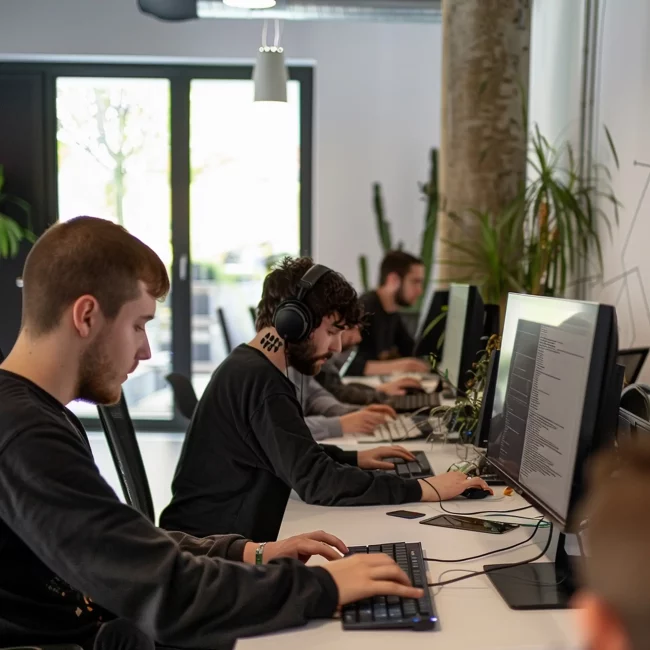
Each week you’ll attend live sessions with practical demos and real case studies. Includes unlimited access to recordings for 12 months.
Hands-on programming
This is not just theory: you’ll write real code from day one. You’ll solve problems, build features, and launch your own product in just 30 hours.
Q&A with top mentors
You’ll have a safe space to bring your questions, challenges, and current problems, supported by experienced professionals ready to help you.

Extra recorded content
In addition to the live sessions, you’ll get access to pre-recorded content and curated resources to dive deeper into each topic and keep learning at your own pace.

Completion certificate
Upon completing the Master and passing the final exam, you will receive a certificate that validates your skills and is backed by LIDR.

Exclusive community
Access a private network of experts, leaders, and opportunities. Events, resources, industry updates, and top job openings to accelerate your career growth.
Who is this Master’s program for?
This program is specifically designed for software engineers and developers who aspire to become high-performance professionals.
What you will learn
You will learn in a practical way how to get the most out of various tools, improving as a programmer in all phases of software development:
- GitHub Copilot, Cursor, Claude Code, and more
- Prompt engineering for developers
- Backend and frontend development
- Natural-language database querying
- User stories and documentation generated with AI
- Fully automated unit and functional testing
- AI tools for personal productivity
Master’s Syllabus
- 32 hours of live sessions
- 30 hours of practice + 6 hours of optional labs
- Next edition: To be announced
The program requires a minimum of 6 hours and an average of 8 hours of work per week, including live online sessions, individual and group activities, and on-demand content.
⬇️ Expand each section to learn more about every topic ⬇️
Syllabus
1. Methodology for Effective Use of AI Copilots
1. The 3 pillars of effective AI copilot usage
1.1. The most relevant tools.
1.2. Basic prompt engineering.
1.3. Principles for responsible and effective use of AI assistants.
2. Productivity with AI beyond code
2.1. Personal productivity and using AI beyond code: meetings, documentation, learning, content creation.
2.2. AI, low-code, and no-code tools.
3. Learn to use the IDEs of the future, powered by AI
3.1. Assistant interfaces: settings, features, modes.
3.2. Rules and memory bank.
3.3. Starting a new project.
3.4. MCP.
4. Effective planning and documentation with AI
4.1. System design, architecture, and data modeling.
4.2. Diagrams as code with AI.
4.3. Code documentation, comments, and knowledge bases.
4.4. Requirements documents.
4.5. Refining user stories and work tickets.
4.6. Sprint planning and effort estimation.
5. Privacy, ethics, and regulation when using AI
5.1. GDPR, AI regulatory frameworks, and AI agency guidelines.
5.2. Best practices for command-line security and engineering.
5.3. Privacy and support tools.
2. Using AI Copilots in the Software Development Lifecycle
6. Unit testing and TDD with AI
6.1. Red–green–refactor cycle, unit testing best practices.
6.2. AI testing tools and specific prompts.
7. Databases with AI
7.1. Best practices for databases.
7.2. AI for creation, optimization, and queries.
8. Backend with AI
8.1. Backend: best practices and design patterns.
8.2. Prompt engineering and AI tools specific to backend development.
8.3. Real-world scenarios: legacy code refactoring, new API endpoints, bug fixing.
9. Frontend with AI
9.1. Frontend: best practices.
9.2. Design-to-code with AI. Frontend prompts and frontend-specific AI tools: Lovable, v0, Builder.
9.3. Real-world scenarios: interfaces, logic, endpoints.
10. QA Automation with AI
10.1. QA Automation: regression and integration testing.
10.2. AI testing tools.
10.3. Q&A and interactive discussion.
11. DevSecOps with AI – Part 1
11.1. Automated pull requests.
11.2. Deployment, optimized and automated CI/CD with AI: Jenkins, GitHub Pipelines.
11.3. Infrastructure-as-code with AI: example using Terraform.
12. DevSecOps with AI – Part 2
12.1. Monitoring and observability.
12.2. Secure-by-design when using AI.
12.3. Practical workshop: building a deployment pipeline and monitoring dashboard.
3. Building AI Products
Lab 1. Build your own technical documentation chatbot with LangChain and Streamlit (Part 1)
RAG fundamentals and vector databases
LangChain
Using files as context
Streamlit interfaces
Lab 1. Build your own technical documentation chatbot with LangChain and Streamlit (Part 2)
Complex queries
Voice interfaces
Vision interfaces
Lab 2. Build your own multi-agent environment
LangChain
LangGraph
PydanticAI
Autogen
MCP
Monitoring: LangSmith, Logfire
4. The Future of AI-Augmented Software Development
13. The future role of the software engineer — Part 1
13.1. AI-augmented developer: benefits and risks.
13.2. Key skills for becoming a high-impact engineer in the AI era.
14. The future role of the software engineer — Part 2
14.1. AI adoption within the department. Change management techniques.
14.2. Q&A and interactive discussion.
14.3. Final project demos and closing session.
Meet your Mentors
More than 12 years leading tech teams at companies like Wefox and Revolut. Today he helps developers and startups adopt AI in real products and workflows. He has trained more than 2,000 engineers with a practical and strategic approach.
With more than 20 years in software development, he leads complex projects and explores applied AI architectures. His technical and business vision helps integrate AI in a robust way within real-world environments.
Engineer from UPM and IIT Chicago, and associate professor at the Complutense University. Specialist in Artificial Intelligence, Big Data, and Machine Learning, passionate about leadership and hands-on development.
He has led AI projects in logistics, achieving productivity improvements of over 50%. His experience implementing AI in complex environments provides an applied perspective and a results-driven focus from day one.
Engineer, trainer, YouTuber with 80K+ followers, and creator of codigoencasa.com. He teaches how to build real tools with AI and guides students to apply everything they learn from scratch in their own projects.
Pedro is a Software Engineering Director with extensive experience and a Master’s in Artificial Intelligence. He brings more than 13 years of experience as a developer, researcher, and entrepreneur, and has implemented multiple AI solutions focused on automation and process optimization.
Testimonials
Don’t just take our word for it — here’s what some of the AI-augmented developers who have completed our program have to say.


We’re proud to train top professionals from leading companies such as:
I want this for me or my team
If you’ve liked what you’ve seen, share our vision, and believe that AI for Devs can help you become a more productive, efficient, and high-value engineer, please fill out the form on our website and schedule your discovery call 👇
Looking for a solution tailored to your team?
We will learn more about your needs to offer you a personalized solution.
Money-back guarantee and payment options
30-day guarantee. Zero risk
You have a 30-day money-back guarantee from the moment the Master begins. If it doesn’t work for you or you feel it’s not the right fit, you can simply request a refund. No questions asked.

Payment options
We offer financing options with interest-free monthly installments. Book your admissions interview and our team will give you all the details.

Company-sponsored training
We can help your company allocate budget for your training.
Frequently Asked Questions
Enrollment in the Master’s program is done directly through our website using a credit or debit card.
Regarding monthly installments, we will give you all the details during your admissions interview.
You can cancel your participation in the course within 30 days from the start date and you will receive a full refund.
To request a cancellation, change, or refund, send us an email at hi@lidr.co and we will let you know how to proceed.
We fully understand that unexpected things can happen in life.
Although the cancellation, change, and refund policy applies up to 48 hours before the course begins, if you ultimately cannot attend, we offer you one of the following options:
-
Attend the next edition of the same course.
-
Transfer your enrollment to any other live course in our catalog.
Yes, you can 🙂
If you’re considering this option, please send us an email at hi@lidr.co and tell us about your needs.
This program has limited seats and is designed for a maximum of approximately 50 participants, in order to ensure an intimate environment and dedicated support for each person.
Send us an email at hi@lidr.co letting us know you’re interested in the course. If a spot becomes available, we’ll let you know. If not, we’ll notify you as a priority when a new edition of the course opens.
We strongly believe in remote-first teams across the globe, just like us and our community.
The courses are delivered in Spanish, are 100% online, and anyone can enroll as long as the schedule works for them.
Please carefully check the course page to confirm the session times.
Internet:
A good Internet connection is required. We recommend at least 10 Mb/s with access to:
http://zoom.us
http://miro.com
Please check whether your company has a firewall that blocks these sites.
Computer:
A computer capable of running Zoom and a web browser at the same time.
Webcam and microphone:
Since there are group activities, having a webcam and microphone is recommended.
Video conferencing software:
The course is delivered via Zoom. We recommend using the native Zoom client (not the web client).
An up-to-date web browser:
We will use several web-based tools.
If you need more information, feel free to send us an email at hi@lidr.co.